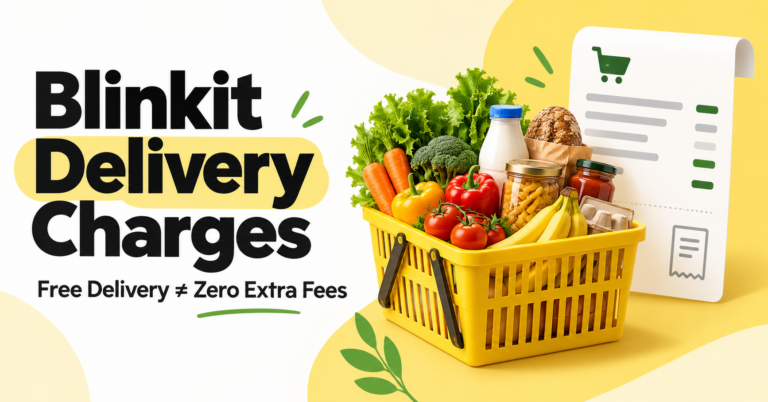
Blinkit delivery charges are shown at checkout for your selected address and basket. There is no single delivery fee you should assume applies to every order. Check the delivery line separately from handling and other charges before paying.
If you see a free-delivery message, look at the complete bill: removing delivery charges does not necessarily remove every additional fee. You can also compare eligible Blinkit coupons and offers against the final amount.
How Much Does Blinkit Charge for Delivery?
Blinkit’s official FAQ directs customers to the delivery charges shown at checkout. Its terms say service charges can vary according to factors including cart value, distance, time, demand and weather.
This is why a price quoted by a friend or another website may not match your order. Set your address, build your actual basket and check the bill that applies to you.
Blinkit Fees: What Each Charge Means
| Charge | What to Check |
|---|---|
| Delivery fee | The delivery amount or waiver shown for your basket. |
| Handling fee | A separate charge that may remain when delivery is free. |
| Small-cart fee | Whether a low-value basket attracts this charge. |
| Surge or rain charge | Any extra amount displayed under the current conditions. |
| Other service charges | Any platform, convenience, gift or other line applicable to the order. |
Not every charge applies to every order. Expand the bill details, where available, instead of estimating from the product subtotal.
What Is the Minimum Order for Blinkit Free Delivery?
Use the minimum order or free-delivery message displayed in your cart. A threshold quoted online is not a substitute for your checkout information.
Before adding more items, check:
- How much more eligible spending is required.
- Which charge the additional spending would remove.
- Whether the item is something you actually need.
- How the final payable amount changes.
A free-delivery banner answers one question: whether the delivery line is waived. It does not tell you whether the entire basket is cheaper.
How to Check Your Blinkit Delivery Charges
- Open Blinkit and set the address where you want the order delivered.
- Add the exact products and pack sizes you intend to buy.
- Open the cart and review the bill details.
- Check delivery and other fee lines separately.
- Apply an eligible offer, if available.
- Recheck the final amount after changing your basket or payment method.
- Place the order only after reviewing the complete total.
If a charge is unclear, read the information displayed alongside it or ask support before paying. Keep a screenshot of the bill if you need help explaining a discrepancy.
Real Blinkit Order: Free Delivery With Extra Charges
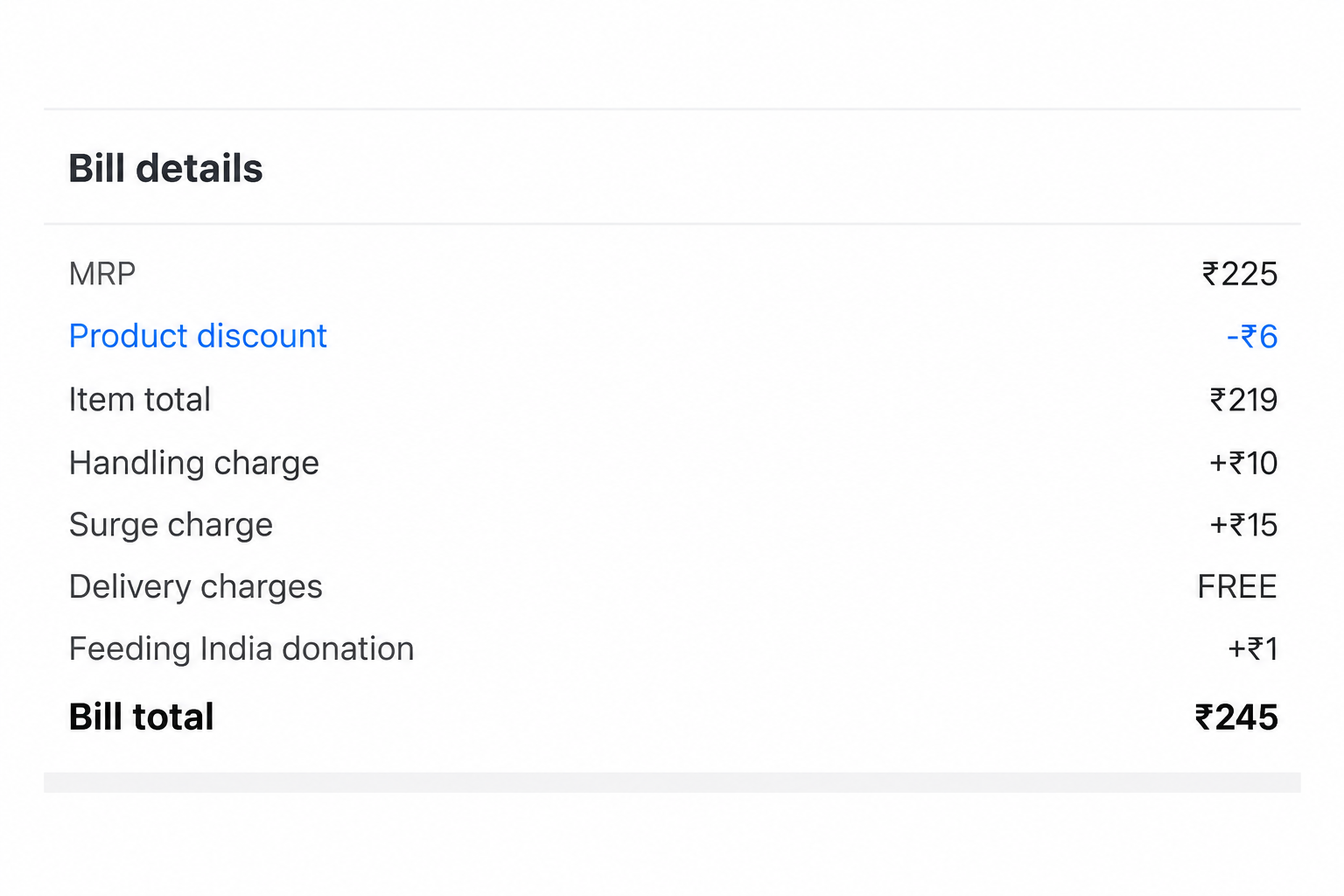
This order shows ₹219 in items, free delivery, ₹10 handling, ₹15 surge charges and a ₹1 donation—a total of ₹245. This is one order example; charges may differ for other orders.
Should You Add Items to Get Free Delivery?
Compare the cost of the extra products with the fee you would avoid. Adding unnecessary food to remove a smaller charge increases your spending.
The following figures are illustrative examples, not Blinkit’s live fee rates. The calculations assume other charges stay unchanged.
| Scenario | Extra Products | Fee Avoided | Change in Spending |
|---|---|---|---|
| Add an unnecessary snack | ₹60 | ₹30 | Pay ₹30 more |
| Add an item you already need | ₹20 | ₹30 | Pay ₹10 less |
| Buy extra perishables | ₹100 | ₹30 | Pay ₹70 more, with possible waste |
Simple calculation: extra product cost minus fees avoided equals the change in your bill. Then consider whether you needed the extra products in the first place.
Compare the Full Grocery Bill
One app can charge less for delivery but more for the same products. Compare identical brands, quantities and pack sizes, then include all charges and immediate discounts.
This example uses invented figures to demonstrate the calculation.
| Bill Component | Basket A | Basket B |
|---|---|---|
| Products | ₹300 | ₹280 |
| Delivery | ₹0 | ₹20 |
| Other charges | ₹10 | ₹5 |
| Final payable amount | ₹310 | ₹305 |
Basket B is ₹5 cheaper despite charging for delivery. For a larger restock, compare your list with BigBasket offers rather than choosing on the delivery banner alone.
Practical Ways to Reduce Your Grocery Spending
Combine planned purchases
When practical, order the items you already need together instead of placing several small orders. Compare the combined bill with separate orders before deciding.
Check unit prices
A cheaper pack can contain less product. Compare price per kilogram, litre or unit, and avoid bulk purchases you cannot use.
For another same-basket comparison, review Zepto offers. Check your own address and final bill on each service.
Separate cashback from immediate savings
A future reward does not reduce the amount you pay today. Read how cashback is claimed and used before counting its full advertised value.
Compare before a large purchase
For household essentials, compare the total with JioMart offers. Match product sizes and include charges on both sides.
Do Coupons or Referral Codes Remove Delivery Fees?
Only rely on a delivery waiver when the promotion specifically provides it and your cart shows the saving. A discount on products and a waiver of fees are different benefits.
Referral invitations also have separate conditions. Our Blinkit referral-code guide explains what to check before expecting a referral benefit.
What to Do if the Charge Looks Wrong
- Compare the checkout bill with your order invoice.
- Check whether you changed the address, products or ordering time.
- Identify the exact charge you do not understand.
- Contact support through Blinkit’s official app and share the relevant bill details.
For payment offers on other grocery services, the JioMart wallet-offers guide provides another comparison point. Apply each provider’s rules separately.
Frequently Asked Questions
What are Blinkit’s delivery charges?
Check the delivery line at checkout for your selected address and basket. Do not assume another customer’s charge applies to you.
Is Blinkit delivery free above ₹199?
Confirm the threshold displayed in your cart. Do not treat ₹199 as a guaranteed nationwide rule.
Why am I paying a handling fee with free delivery?
Free delivery can waive the delivery line while a separate handling charge remains. Review both entries.
Does every small order have a small-cart fee?
Check your bill rather than assuming it does. The charge and its applicable conditions must be read for the actual order.
Does Blinkit charge more at night or during rain?
Review any additional charges displayed before payment. A fixed night or rain surcharge should not be assumed for every location.
Is a new user’s first delivery free?
Check the welcome promotion and checkout bill. Being a first-time customer does not establish a universal delivery waiver.
Should I add products just to get free delivery?
Compare extra spending with fees avoided. Add products only when the final cost makes sense and you need them.
Can I remove all fees with a coupon?
Read the promotion’s scope and check the resulting bill. A product discount does not automatically remove every fee.