
Coupons · Cashback · Price Tracking · Deal Saving
Quick Answer
- Coupon extensions can automatically test available promo codes during checkout.
- Price trackers help you check whether a sale price is actually lower than recent prices.
- Cashback extensions can return part of an eligible purchase when activated correctly.
- Wish-list and restock tools help you avoid repeatedly checking product pages manually.
- Use a full page capture screenshot to save the complete deal page before prices, coupon terms or availability change.
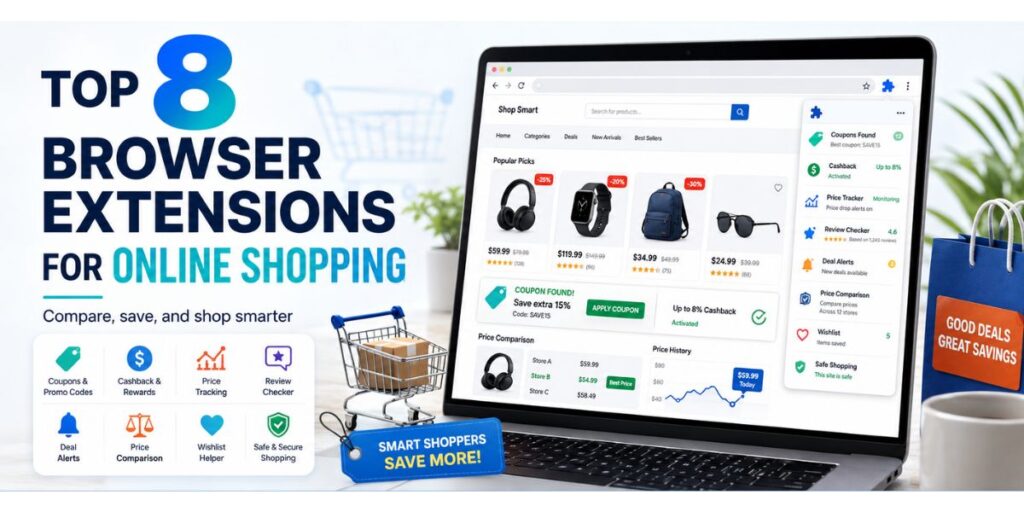
The best browser extensions for online shopping can save more than money. They can reduce the time spent searching for coupon codes, compare prices between stores, alert you when products become cheaper and help you keep a record of important deals.
However, you do not need ten extensions doing the same thing. A smarter setup combines one coupon tool, one price or cashback tool and a way to preserve an important offer before the webpage changes. Here are eight useful shopping extensions and the specific job each one does best.
Table Of Content
- 1. PayPal Honey — Best for Testing Coupon Codes
- 2. Rakuten — Best for Cashback Shopping
- 3. Capital One Shopping — Best for Price Comparison
- 4. Karma — Best for Wish Lists and Price Alerts
- 5. Keepa — Best for Amazon Price History
- 6. The Camelizer — Best for Quick Amazon Price Checks
- 7. PriceBlink — Best for Checking Other Stores
- 8. Full Page Capture — Best for Saving Deal Pages
- Which Shopping Extension Should You Choose?
- Smart Shopper Extension Checklist
- Do You Need All 8 Extensions?
- Final Verdict
1. PayPal Honey — Best for Testing Coupon Codes
Honey is useful for shoppers who normally open several coupon websites before buying. When supported, the extension can search for available promo codes and test them during checkout. This reduces the need to copy and paste multiple codes manually. Honey can also support price-related features on eligible products. It is most useful when your main goal is finding a possible discount with minimal effort.
2. Rakuten — Best for Cashback Shopping
Rakuten focuses heavily on cashback. When you visit a participating retailer, the browser extension can alert you that cashback is available. You normally need to activate the offer before completing your purchase. Cashback percentages and participating merchants can change, so always check the terms shown for that shopping session instead of assuming the same rate applies every time.
3. Capital One Shopping — Best for Price Comparison
Capital One Shopping combines several useful shopping features. It can look for coupon codes and help compare product prices across retailers when matching products are available. This is especially helpful for electronics, branded accessories, appliances and other products sold by multiple stores. Comparing the final price is still important because shipping, taxes and membership benefits may change which retailer is actually cheapest.
4. Karma — Best for Wish Lists and Price Alerts
Karma is useful when you are not ready to buy immediately. You can save products and organize them into shopping lists rather than leaving dozens of browser tabs open. Depending on the retailer and product, it can also help with price-drop and restock notifications. This makes it suitable for fashion, beauty, electronics and limited-stock products where waiting for the right time to buy can matter.
5. Keepa — Best for Amazon Price History
A large discount label does not always mean you are seeing the lowest price. Keepa helps Amazon shoppers review historical pricing rather than judging a deal from the current crossed-out price alone. Price-history charts can show whether an item frequently sells for less and whether the current discount is genuinely unusual. You can also use price alerts when you prefer waiting for a specific target price.
6. The Camelizer — Best for Quick Amazon Price Checks
The Camelizer provides access to camelcamelcamel price-history information while browsing Amazon products. It is a useful option for shoppers who mainly want a simple historical price check without building a complicated shopping workflow. Before buying during major sales, reviewing past prices can help you distinguish a meaningful discount from normal pricing presented as a limited-time offer.
7. PriceBlink — Best for Checking Other Stores
PriceBlink is designed to help shoppers see whether another retailer sells the same product for less. It can also surface available coupon information on supported websites. Cross-store comparison is particularly useful when buying products with standardized model numbers because it becomes easier to confirm that you are comparing the exact same item rather than two slightly different versions.
8. Full Page Capture — Best for Saving Deal Pages
Finding a good deal is only part of smart shopping. Prices, coupon conditions, delivery promises and sale banners can change after you place an order. Saving the complete webpage can give you a useful reference if you need to check what was displayed at the time of purchase.
With Full Page Capture Screenshot, you can capture the complete scrolling webpage instead of taking several separate screenshots. This is useful for limited-time offers, coupon terms, product details, price comparisons and checkout-related information that may later change.
Which Shopping Extension Should You Choose?
| Your Main Goal | Best Type of Extension |
|---|---|
| Automatically test coupons | Honey |
| Earn eligible cashback | Rakuten |
| Compare prices between stores | Capital One Shopping / PriceBlink |
| Track Amazon prices | Keepa / The Camelizer |
| Track wish-list products | Karma |
| Save complete deal pages | Full Page Capture |
Smart Shopper Extension Checklist
✓ Compare the final price, not only the advertised discount.
✓ Check price history before expensive purchases.
✓ Activate cashback before checkout when required.
✓ Read coupon exclusions before relying on a discount.
✓ Save important deal pages before limited-time offers expire.
✓ Review extension permissions and remove tools you no longer use.
Do You Need All 8 Extensions?
No. Installing several extensions with overlapping features can make your browser unnecessarily crowded. Coupon and comparison tools may also need permission to interact with shopping websites in order to detect products, prices or checkout fields. Always review an extension’s current permissions and privacy information before installing it.
For most shoppers, three functions are enough: one tool for discounts, one for price or cashback tracking and one for preserving important shopping information. Add another extension only when it solves a problem your existing tools do not handle well.
Final Verdict
The best browser extensions for online shopping help you make better buying decisions rather than simply encouraging you to shop more. Coupon extensions can reduce checkout prices, cashback tools can return value on eligible purchases, price-history extensions can expose weak discounts, and comparison tools can reveal cheaper retailers. For important purchases, saving the complete deal page adds another useful layer: you keep a record of the price, offer and terms you actually saw before completing the order.